


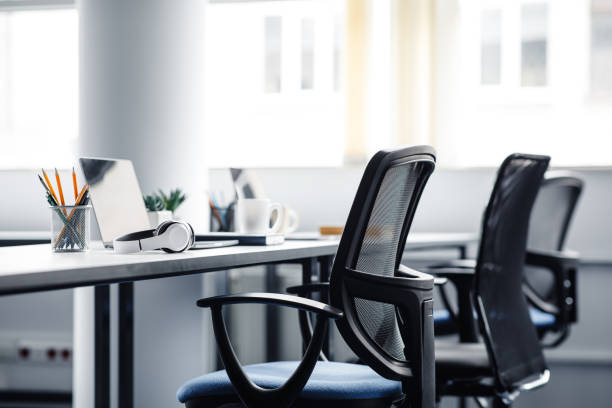
Amsterdam · Netherlands
Free, step-by-step articles on chair height, monitors, lighting, and movement breaks for home and office work in the Netherlands. We publish general education only—no medical claims, no product sales. Optional small-group workshops in Amsterdam; fees and dates are always confirmed in writing before you book.
When your desk, chair, and screen fight your body, muscles stay switched on in the background. That low-level tension uses attention you could spend on actual work. Occupational health research often links poor workstation fit with neck and shoulder discomfort and with feeling drained earlier in the day—not because sitting is “bad,” but because one fixed pose loads the same tissues for hours.
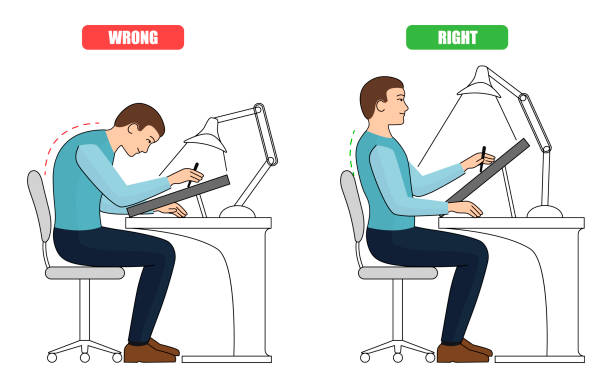
Good ergonomics is not about buying the most expensive gear. It is about fit: knees slightly below hips, forearms roughly parallel to the floor, eyes landing on the top third of the screen, feet flat or on a stable support. You can improve many setups in one lunch break with a tape measure and two small changes. Track what feels different over a week; your own notes beat generic promises.
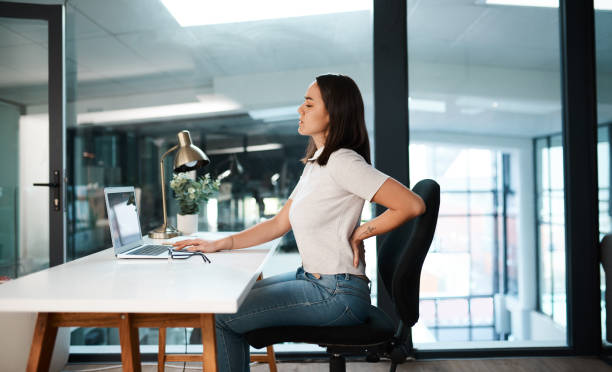
Start with seat height. Stand beside the chair and set the pan so the highest point is just below your kneecap. Sit down: thighs should be horizontal or slightly declined, feet fully on the floor or on a footrest. Lumbar support should meet the curve of your lower back, not the middle of the shoulder blades. If the chair has armrests, they should skim your elbows when your shoulders are relaxed—not push them up.
Desk height follows the arms. With shoulders loose, bend elbows to about 90 degrees; the keyboard home row should sit under your fingers without lifting the wrists. If the desk is fixed and too high, a keyboard tray or slightly lower chair (with footrest) is often more practical than typing with elevated shoulders. Keep frequently used items within forearm reach so you are not leaning or twisting all morning.
Cable clutter and heavy monitors can pull you forward. Slide the screen close enough that you can read text without leaning; anchor cables so they do not tug the mouse. A short checklist on our Desk Ergonomics page walks through measurements in order.
Desk ergonomics guideFor a single monitor, place the centre of the screen slightly below eye level—about an arm’s length away for most people. If you wear progressive lenses, you may need the screen lower; adjust in small steps and note clarity after 20 minutes of reading. Dual screens: put the primary display straight ahead and the secondary at a slight angle; turn your chair, not only your neck, when you switch focus for more than a few seconds.
Brightness should match the room, not dazzle it. A simple test: open a white document; if the page feels like a lamp in a dim room, lower brightness or add soft ambient light behind you. Increase text size before you crane forward—browser zoom and system scaling are underrated ergonomics tools.
Blue-light filters are optional comfort tools for some users; they are not a substitute for breaks. Every 20 minutes, look at something at least six metres away for 20 seconds—the “20-20-20” habit costs little and gives focusing muscles a pause. More detail lives on Monitor Setup.
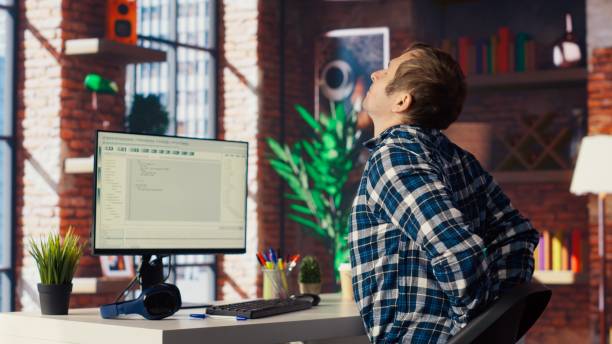
Glare makes you squint and lean. Position the desk so windows are beside you, not directly in front or behind the screen. Use a desk lamp with a diffuse shade for paperwork; avoid a single harsh bulb pointed at the monitor. In Dutch winters, many people add a warm task light by late afternoon when daylight fades—keep colour temperature consistent so the room does not feel like two different zones.
Background noise shapes concentration. Steady hum from HVAC is easier to filter mentally than irregular conversation. If you cannot control sound, try low-level consistent audio you choose (not necessarily music with lyrics) or short relocation breaks. Temperature around 20–22 °C with a layer you can remove suits many office workers; cold hands often mean circulation or airflow is worth checking.
Open a window or run ventilation when the room feels stuffy—CO₂ buildup is linked with sleepiness in some workplace studies. Explore practical tips on Lighting & Acoustics.
These guidelines summarise common occupational health advice for desk-based work. They support comfort and safe habits; they do not replace your employer’s risk assessment, equipment standards, or advice from qualified professionals.
If numbness, shooting pain, sudden weakness, or symptoms after a fall or injury appear, contact a registered health provider or occupational service—not this website. For urgent danger in the Netherlands, call 112.
Employers in the EU often must provide suitable equipment and training under national rules; use internal channels for formal assessments.
We host small educational sessions in Amsterdam about workspace setup and movement habits. Places are limited; content is general ergonomics education, not clinical care.
| Date | Topic | Format | Price | Action |
|---|---|---|---|---|
| 12 Jun 2026 | Desk & chair measurements lab | In person · 90 min | Quoted by email (may be free) | Request a spot |
| 26 Jun 2026 | Monitor & lighting walkthrough | In person · 75 min | Quoted by email | Request a spot |
| 10 Jul 2026 | Micro-break routines for hybrid teams | Online · 60 min | Quoted by email | Request a link |
| 24 Jul 2026 | Home office self-assessment workshop | In person · 2 h | Quoted by email | Request a spot |
No. A well-fitted sitting setup with regular position changes works for many people. Standing desks help when you actually alternate postures—not when you stand still all day. Start with chair height, screen position, and breaks; add a sit-stand desk if your space and budget allow.
A useful rhythm is a 1–2 minute movement break every 45–60 minutes plus brief eye rests every 20 minutes. Stand, walk, or stretch shoulders and hips. Consistency matters more than one long break at lunch only.
Laptops compress screen and keyboard into one plane, which usually forces either neck flexion or raised arms. An external keyboard and raised screen (or stand) are the standard fix. See our Monitor Setup page for compact home-office layouts.
No. We publish general lifestyle and workplace comfort information. For personal health concerns, contact your huisarts or another licensed professional in the Netherlands. Read our disclaimer in the top bar and Terms of Use.
Yes. All guides on this website are free to read—no paywall and no account required. Optional in-person or online group sessions in Amsterdam may involve a fee; we email the price in euros, date, location, what is included, and cancellation terms before you confirm a place.
Chargeexpel.world, Keizersgracht 241, 1016 EA Amsterdam, Netherlands. KVK: 34307000 · BTW: NL001419085B07. Email: mailuse@chargeexpel.world · Phone: +31 6 52478247. Ergonomics education for desk workers—not a hospital, GP practice, pharmacy, or emergency service (call 112 in an emergency).
No. We do not sell physical products, dietary supplements, medicines, or regulated medical devices. Our guides may mention everyday office items generically; we do not operate a shop or affiliate product funnels.
We may use Google Ads to reach people in the Netherlands who search for workspace comfort and desk setup ideas. Ads describe the same offer as this site: free educational guides, clear contact details, and transparent information about optional paid workshops. Landing pages match ad text—no misleading claims or hidden offers.
Editorial standard: realistic steps, everyday language, no outcome guarantees. Individual comfort varies. See Terms of Use.
Registered business (Netherlands): KVK 34307000 · BTW NL001419085B07 — verifiable at kvk.nl.
We are an Amsterdam-based educational project helping desk workers adjust chairs, screens, and daily habits using evidence-informed ergonomics principles explained in plain language.
Website content: €0 — all guides remain free.
Workshops: prices vary by session length and format (in person or online). Example range communicated on enquiry: typically €0–€45 per person depending on the event; the exact amount, whether BTW NL001419085B07 is included, and payment method are confirmed in writing before you pay. No surprise charges.
Google Ads: if you arrived via an advertisement, the landing page describes the same free guides and optional workshops listed here. We do not use ads to promote restricted healthcare products or misleading health claims.
Pick one topic, apply it for five working days, then add the next. Ergonomics sticks when changes are small and measurable.
Chair depth, armrests, desk height, and foot support explained with measurement order.
Read guideMicro-breaks, walking meetings, and stretches that fit between calls.
Read guidePrintable-style checklist to score your setup and plan two upgrades.
Start checklist